
Grok Image Concepts for Music Visuals
Select an enabled model, enter text, review the credit quote, then download finished clips from History and add your music and timed lyric overlays in an external editor.
Create and edit images with Grok in RapLyrics. Move from text-to-image generation to natural-language editing in one place. Check the selected model for reference image options and available controls, then review the results and download visual clips for your music project.
Verified prompt
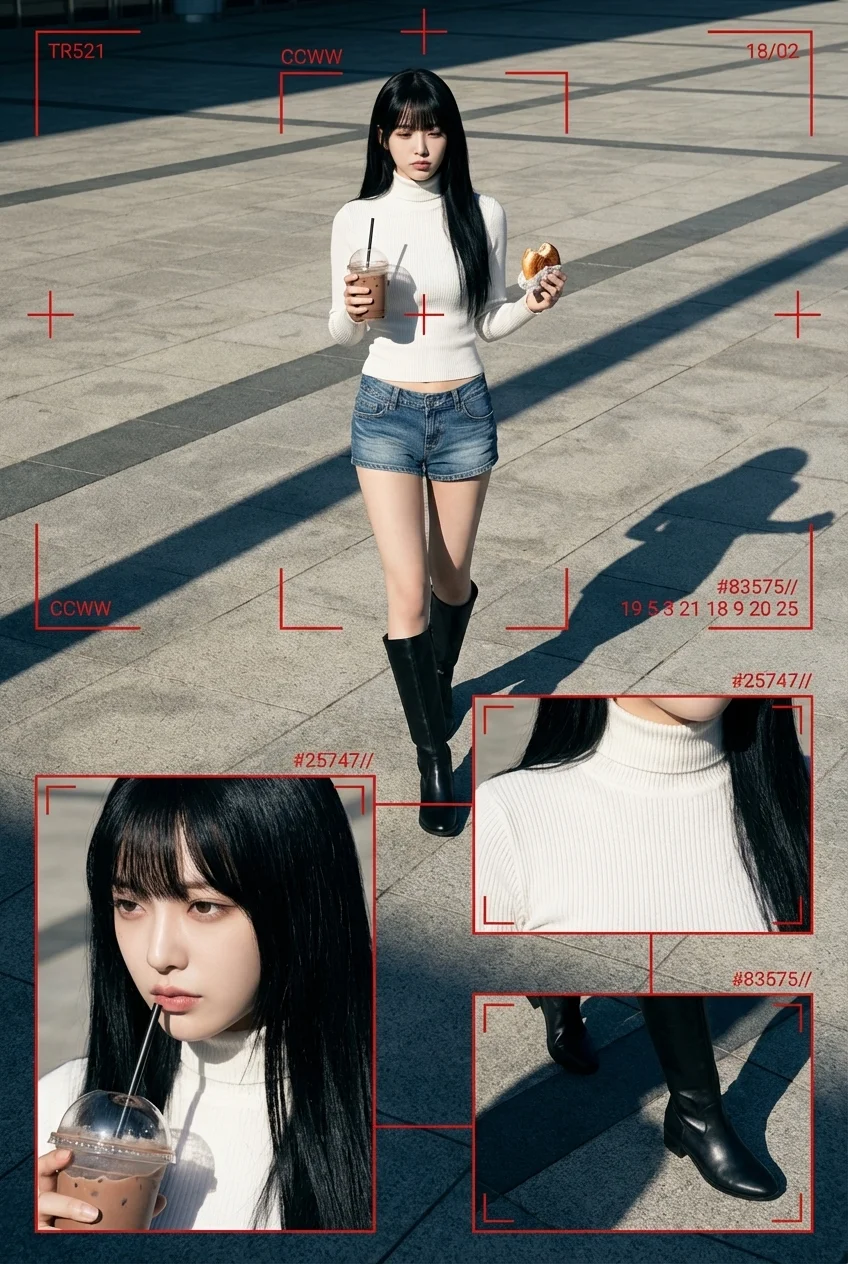
ber-grunge surveillance-style fashion editorial featuring a young, beautiful, cute Japanese woman in her early 20s, with large expressive eyes and K-pop idol–inspired makeup. Her makeup highlights flawless radiant skin, soft shimmer around the eyelids, sharp eyeliner, and glossy lips, giving a refined feminine glow. She has long, sleek black hair with perfectly trimmed bangs, smooth texture, and soft highlights, flowing naturally behind her as she walks. Her outfit consists of a fitted rib-texture turtle-neck knit top and denim short pants with visible stitching details, slightly low-rise styling, giving a modern Japanese Y2K street flavor. She wears long sleek boots—clean, structured, and stylish—adding elegance and contrast to her exposed legs. Accessorized with a small gold pendant necklace. She holds an iced chocolate/coffee cup with a straw in her left hand and a half-eaten pastry in her right hand. Her body posture is mid-stride, full-body captured, facing slightly off-center, head angled down slightly with a cool, indifferent expression—visually as if caught candidly by a high-end surveillance system monitoring an urban location. Scene environment: A bright late-afternoon plaza with paved concrete tiles. Highly directional sunlight creates long diagonal shadows, deep blacks under the boots, and warm atmospheric highlights. The tone feels cinematic but raw, like real street documentation. Technical image style: Hyper-real 8K Ultra-HD clarity, deep focus across full frame, dramatic daylight contrast, color palette composed of urban greys, pure whites, deep blacks, and striking crimson UI overlay accents. 1440 × 1920 resolution, 4:5 editorial framing. Layout structure: Editorial collage combining: ● one large main full-body walking shot + ● three cropped secondary frames: — close-up of face + makeup styling + drink hand — torso crop featuring turtle-neck knit texture — boot-and-legs detail with pavement shadows These cropped windows connect visually via red surveillance-style vector lines. UI Overlay Components: · thin red bounding rectangles · telemetry-like ID codes · crosshair alignment marks · vector targeting lines · timecode print · numeric encryption motifs Example printed graphics: “TR521” “CCWW” “18/02” “#25747//” “#83575//” “19 5 3 21 18 9 20 25” Atmospheric concept: Modern cyber-grunge × candid street-watching × dystopian fashion documentation. Feels like a digital observation archive rather than posed photography. A stylish mystery aura, privacy-invasion chic, cinematic realism. Camera Specifications: Shot from a slightly high-angle perspective, around 35–50mm focal length, long daylight-cast shadows visible, crisp texture on concrete paving, deep-focus realism.
ber-grunge surveillance-style fashion editorial featuring a young, beautiful, cute Japanese woman in her early 20s, with large expressive eyes and K-pop idol–inspired makeup. Her makeup highlights flawless radiant skin, soft shimmer around the eyelids, sharp eyeliner, and glossy lips, giving a refined feminine glow. She has long, sleek black hair with perfectly trimmed bangs, smooth texture, and soft highlights, flowing naturally behind her as she walks. Her outfit consists of a fitted rib-texture turtle-neck knit top and denim short pants with visible stitching details, slightly low-rise styling, giving a modern Japanese Y2K street flavor. She wears long sleek boots—clean, structured, and stylish—adding elegance and contrast to her exposed legs. Accessorized with a small gold pendant necklace. She holds an iced chocolate/coffee cup with a straw in her left hand and a half-eaten pastry in her right hand. Her body posture is mid-stride, full-body captured, facing slightly off-center, head angled down slightly with a cool, indifferent expression—visually as if caught candidly by a high-end surveillance system monitoring an urban location. Scene environment: A bright late-afternoon plaza with paved concrete tiles. Highly directional sunlight creates long diagonal shadows, deep blacks under the boots, and warm atmospheric highlights. The tone feels cinematic but raw, like real street documentation. Technical image style: Hyper-real 8K Ultra-HD clarity, deep focus across full frame, dramatic daylight contrast, color palette composed of urban greys, pure whites, deep blacks, and striking crimson UI overlay accents. 1440 × 1920 resolution, 4:5 editorial framing. Layout structure: Editorial collage combining: ● one large main full-body walking shot + ● three cropped secondary frames: — close-up of face + makeup styling + drink hand — torso crop featuring turtle-neck knit texture — boot-and-legs detail with pavement shadows These cropped windows connect visually via red surveillance-style vector lines. UI Overlay Components: · thin red bounding rectangles · telemetry-like ID codes · crosshair alignment marks · vector targeting lines · timecode print · numeric encryption motifs Example printed graphics: “TR521” “CCWW” “18/02” “#25747//” “#83575//” “19 5 3 21 18 9 20 25” Atmospheric concept: Modern cyber-grunge × candid street-watching × dystopian fashion documentation. Feels like a digital observation archive rather than posed photography. A stylish mystery aura, privacy-invasion chic, cinematic realism. Camera Specifications: Shot from a slightly high-angle perspective, around 35–50mm focal length, long daylight-cast shadows visible, crisp texture on concrete paving, deep-focus realism.

Verified prompt
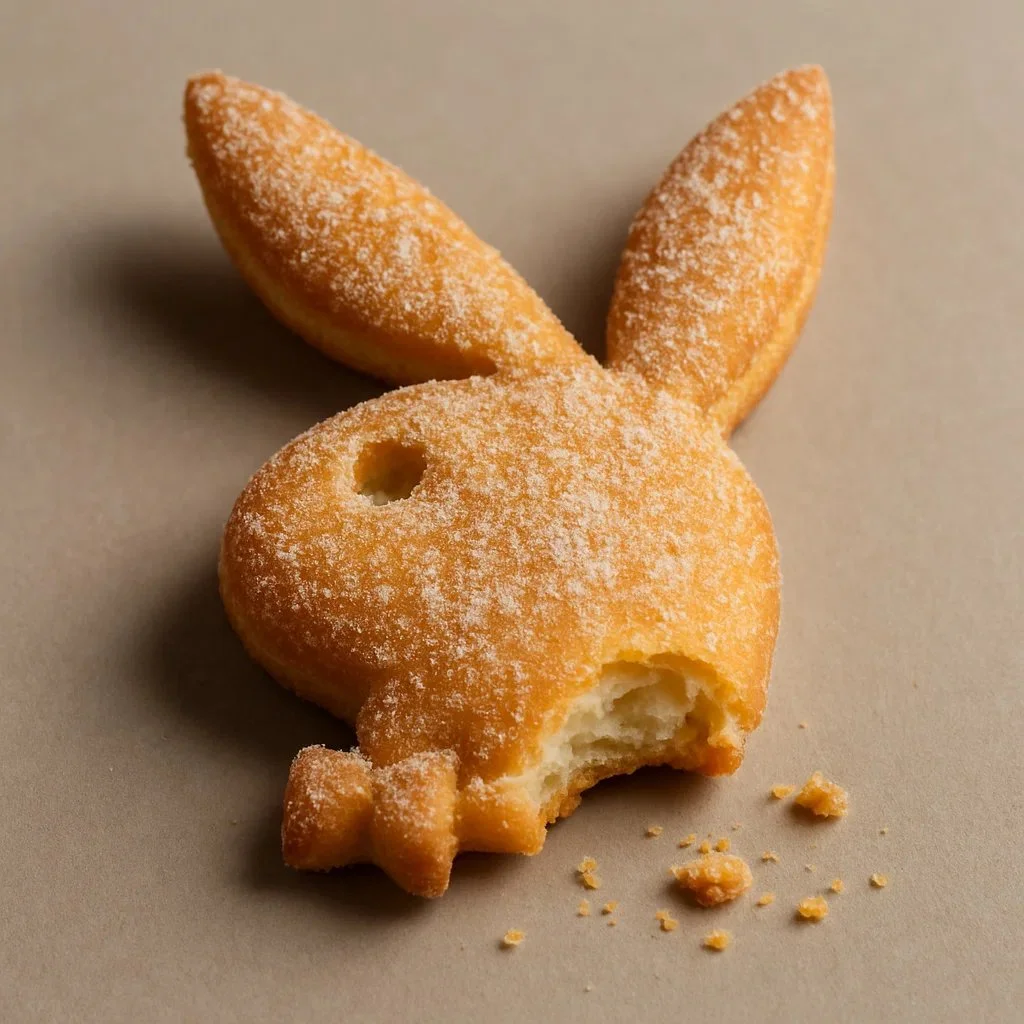
Hand-Carved Wooden Puppet (Czech Marionette Style) A hand-carved wooden marionette interpretation of [SUBJECT], with jointed limbs, painted details, and a slightly eerie antique finish. Showcase theatrical posture, stage lighting, and cultural craftsmanship in the styling.
Hand-Carved Wooden Puppet (Czech Marionette Style) A hand-carved wooden marionette interpretation of [SUBJECT], with jointed limbs, painted details, and a slightly eerie antique finish. Showcase theatrical posture, stage lighting, and cultural craftsmanship in the styling.
Verified prompt
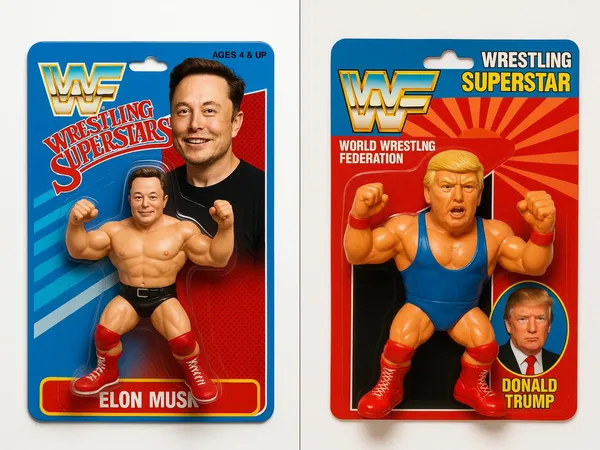
uct photography, a 1990's style WWF Wrestling Figurine package with the figurine wrestler in the package being [your character]. The figure features bright colors, a detailed character design, white background with professional studio lighting.
uct photography, a 1990's style WWF Wrestling Figurine package with the figurine wrestler in the package being [your character]. The figure features bright colors, a detailed character design, white background with professional studio lighting.
Verified prompt
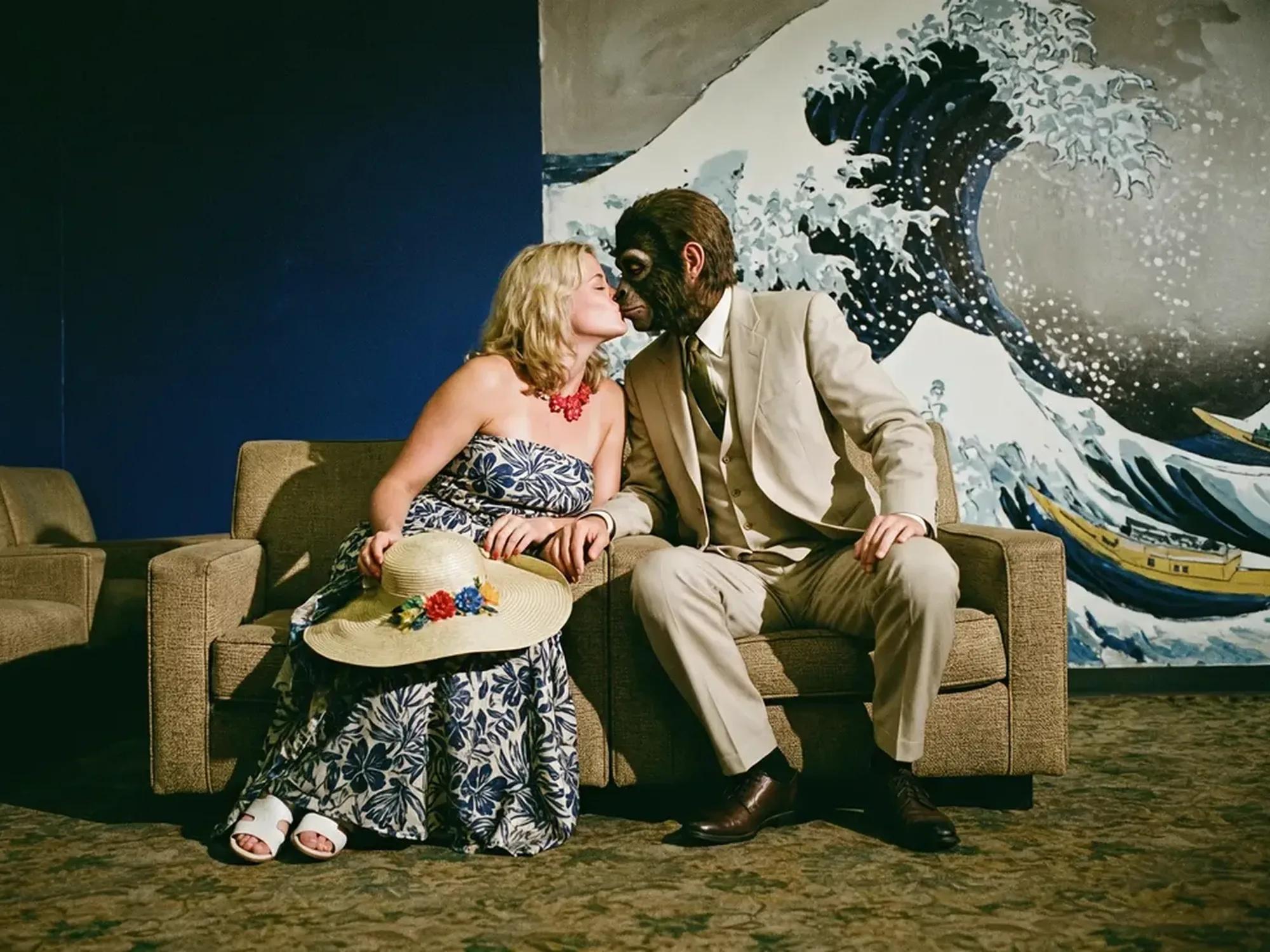
Verified prompt
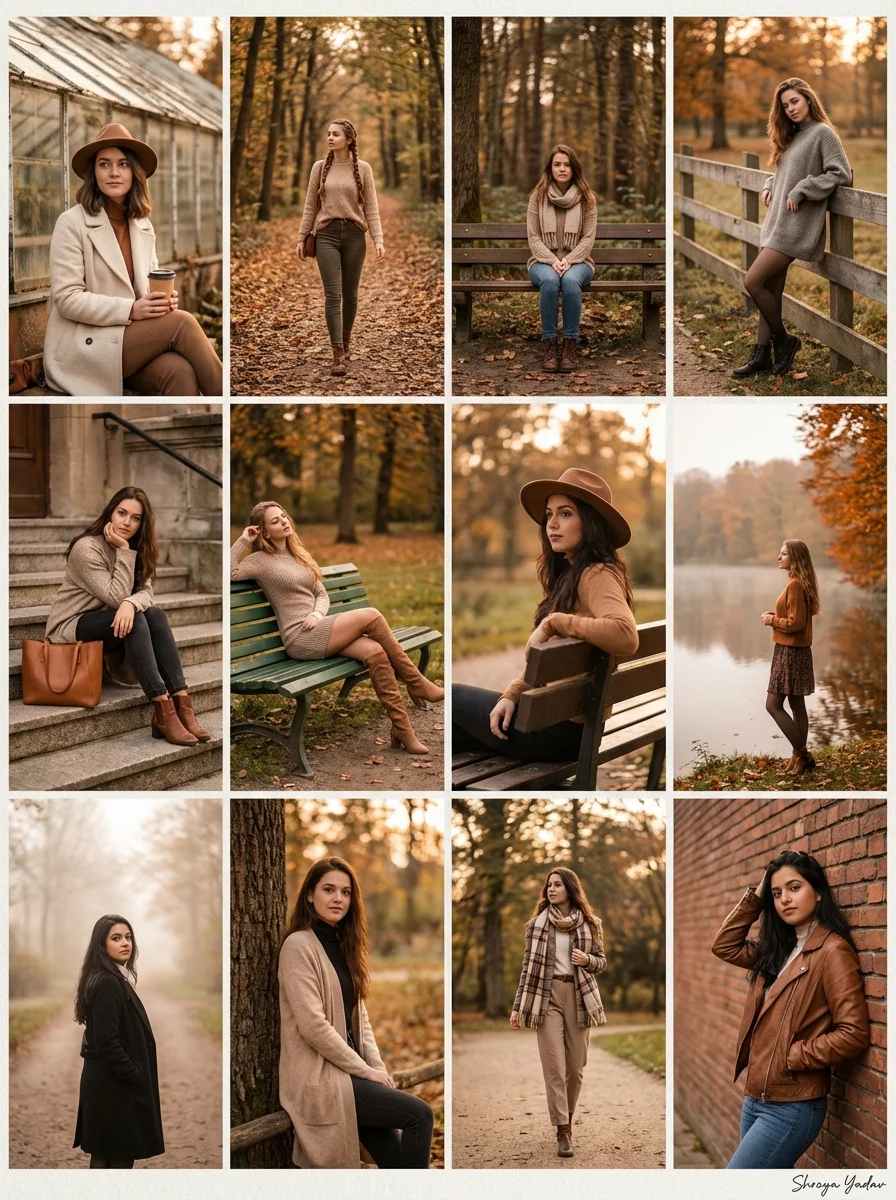
Verified prompt
te a high‑resolution autumn fashion collage composed of 12 separate photos arranged in a neat grid, each featuring a stylish young woman with different random faces and hairstyles, not resembling any real or famous person. Show her in a variety of cozy outdoor poses: sitting by an old glass greenhouse with a takeaway coffee cup, walking along a tree‑lined path covered in orange leaves,sitting alone on a wooden bench deep in the forest, leaning against a park fence, resting on stone steps with a leather tote bag, lounging on a green park bench in a short dress and knee‑high boots, sitting sideways on a bench, standing near a calm lake lined with orange trees, and standing on a foggy path framed by tall trees. Outfits should mix long wool coats, oversized sweaters, scarves, wide‑brim hat, neutral trousers, knit dresses, and boots in earthy toneslike beige, brown, cream, gray, and black; lighting is warm golden hour with soft, cinematic color grading, shallow depth of field and creamy bokeh, giving the entire collage a cohesive, high‑end editorial influencer aesthetic Signature: Shreya Yadav
te a high‑resolution autumn fashion collage composed of 12 separate photos arranged in a neat grid, each featuring a stylish young woman with different random faces and hairstyles, not resembling any real or famous person. Show her in a variety of cozy outdoor poses: sitting by an old glass greenhouse with a takeaway coffee cup, walking along a tree‑lined path covered in orange leaves,sitting alone on a wooden bench deep in the forest, leaning against a park fence, resting on stone steps with a leather tote bag, lounging on a green park bench in a short dress and knee‑high boots, sitting sideways on a bench, standing near a calm lake lined with orange trees, and standing on a foggy path framed by tall trees. Outfits should mix long wool coats, oversized sweaters, scarves, wide‑brim hat, neutral trousers, knit dresses, and boots in earthy toneslike beige, brown, cream, gray, and black; lighting is warm golden hour with soft, cinematic color grading, shallow depth of field and creamy bokeh, giving the entire collage a cohesive, high‑end editorial influencer aesthetic Signature: Shreya Yadav
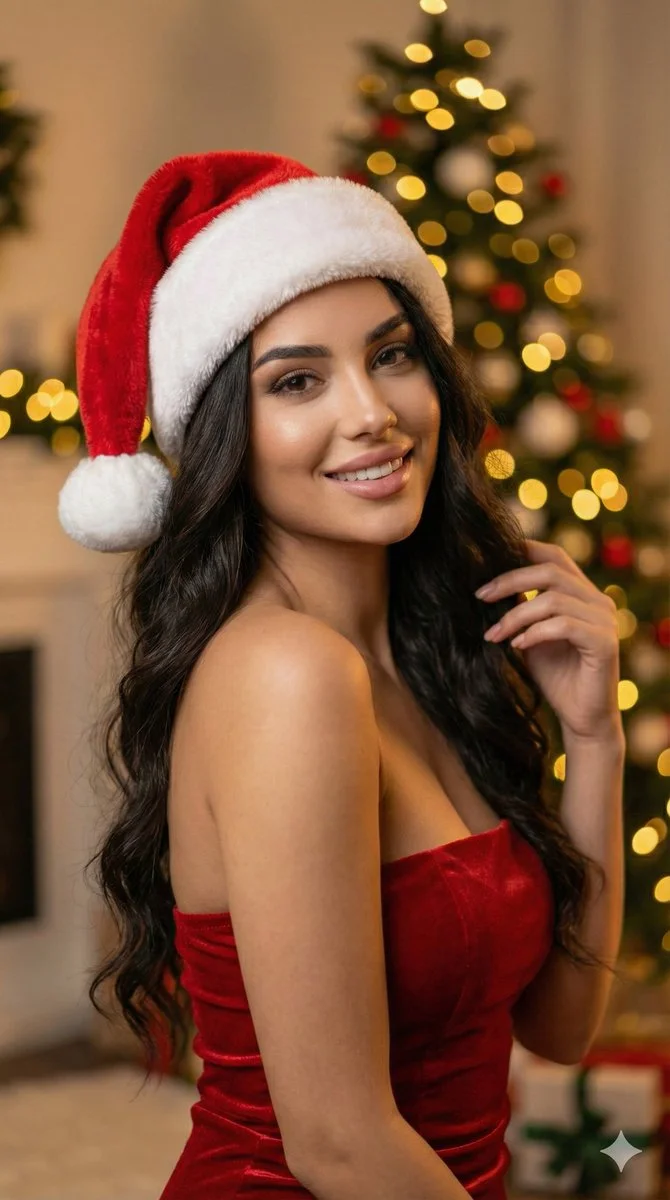
Verified prompt
Ultra-realistic 8k portrait of a stunning young woman with long, dark, wavy hair, wearing a plush red and white Santa hat and a fitted red strapless dress. She has a soft, alluring expression looking directly at camera. Background: softly blurred Christmas tree with glowing golden bokeh lights. Warm festive atmosphere. DSLR photography, cinematic lighting, warm ambient light, high detail skin texture, bokeh effect, depth of field, f/1.8 aperture, 85mm lens. Aspect ratio 9:16, cinematic portrait style.
Ultra-realistic 8k portrait of a stunning young woman with long, dark, wavy hair, wearing a plush red and white Santa hat and a fitted red strapless dress. She has a soft, alluring expression looking directly at camera. Background: softly blurred Christmas tree with glowing golden bokeh lights. Warm festive atmosphere. DSLR photography, cinematic lighting, warm ambient light, high detail skin texture, bokeh effect, depth of field, f/1.8 aperture, 85mm lens. Aspect ratio 9:16, cinematic portrait style.
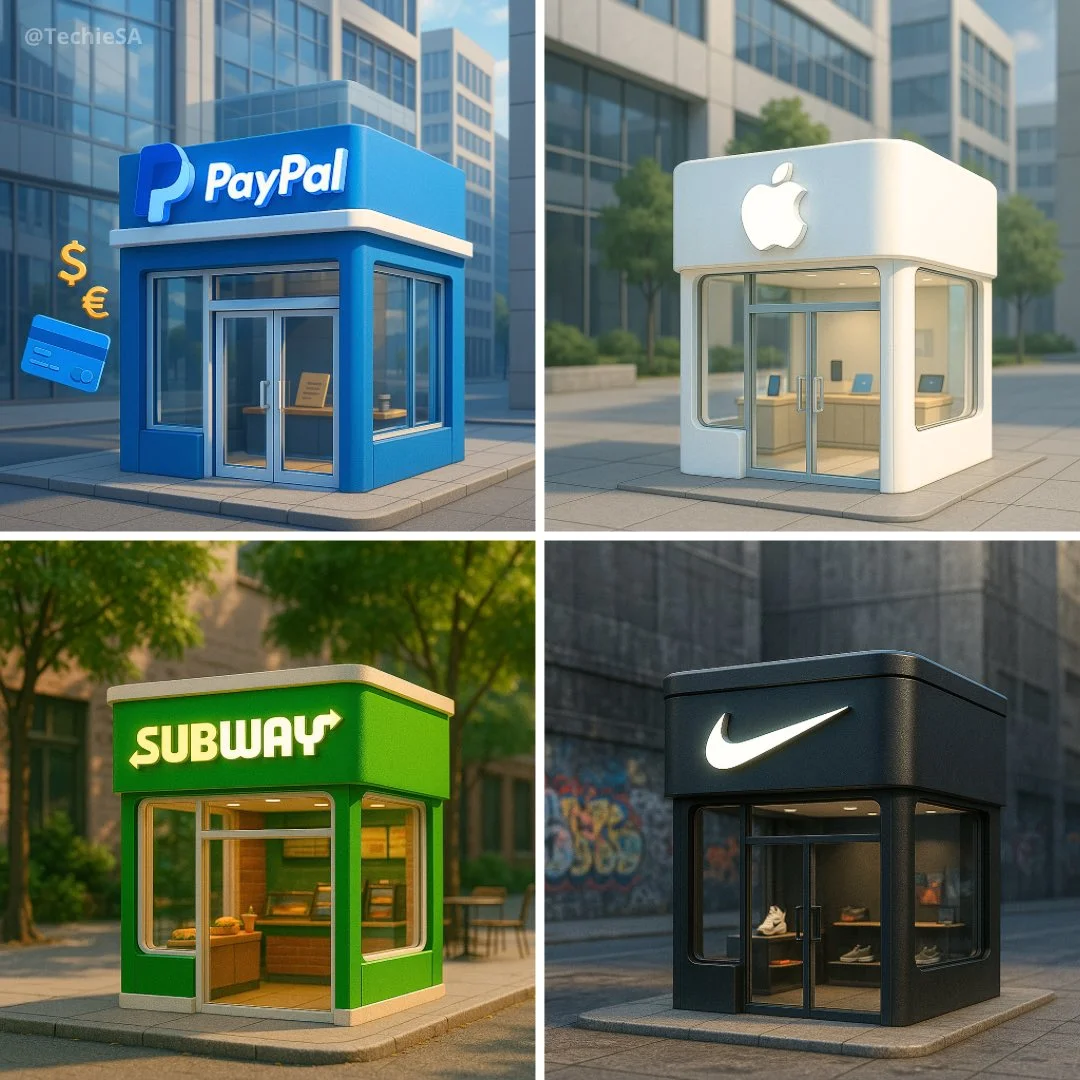
Verified prompt
Ultra-realistic 3D render of a cute, miniature [BRAND NAME] storefront building. Designed using the brand’s signature style and color palette. Features a clean, modern exterior with large glass windows and a glowing 3D [BRAND NAME] logo sign on the front. Includes subtle branded props inside the store. Background matches the brand’s identity — clean, relevant, and atmospheric. Slight isometric angle, warm lighting, soft shadows, and centered composition.
Ultra-realistic 3D render of a cute, miniature [BRAND NAME] storefront building. Designed using the brand’s signature style and color palette. Features a clean, modern exterior with large glass windows and a glowing 3D [BRAND NAME] logo sign on the front. Includes subtle branded props inside the store. Background matches the brand’s identity — clean, relevant, and atmospheric. Slight isometric angle, warm lighting, soft shadows, and centered composition.
Verified prompt
Create a South Park style paper-cut cartoon character with long dark hair and a red plaid shirt on a snowy cabin balcony. Use flat colors, round expressive eyes and a clear silhouette.
Create a South Park style paper-cut cartoon character with long dark hair and a red plaid shirt on a snowy cabin balcony. Use flat colors, round expressive eyes and a clear silhouette.

Verified prompt
Generate a large die-cut vinyl sticker of the [BRAND] logo with thick white border, perfectly centered on a soft light blue background. The sticker is viewed straight-on from directly above with realistic drop shadows beneath. Clean, flat design with subtle 3D depth. The sticker takes up most of the frame and maintains original brand colors. 1080x1080 square format.
Generate a large die-cut vinyl sticker of the [BRAND] logo with thick white border, perfectly centered on a soft light blue background. The sticker is viewed straight-on from directly above with realistic drop shadows beneath. Clean, flat design with subtle 3D depth. The sticker takes up most of the frame and maintains original brand colors. 1080x1080 square format.
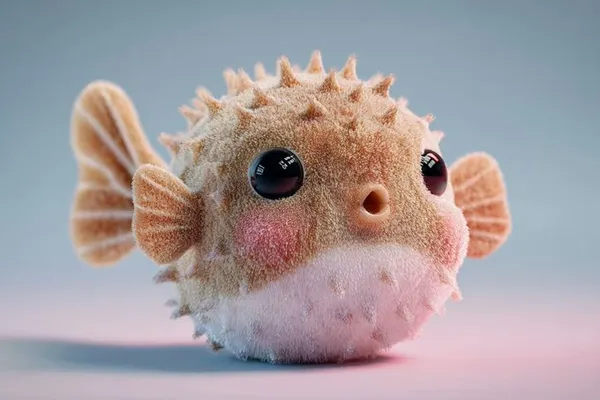
Verified prompt
ft and plush 3D model of a [subject] with a [key detail], rendered in a cute, stylized aesthetic. The texture appears velvety, squeezable, and toy-like, emphasizing the charm of animated [object type] designs. Clean background, centered composition, soft ambient lighting, pastel tones, subtle shadows, high-resolution render, front-facing view.
ft and plush 3D model of a [subject] with a [key detail], rendered in a cute, stylized aesthetic. The texture appears velvety, squeezable, and toy-like, emphasizing the charm of animated [object type] designs. Clean background, centered composition, soft ambient lighting, pastel tones, subtle shadows, high-resolution render, front-facing view.
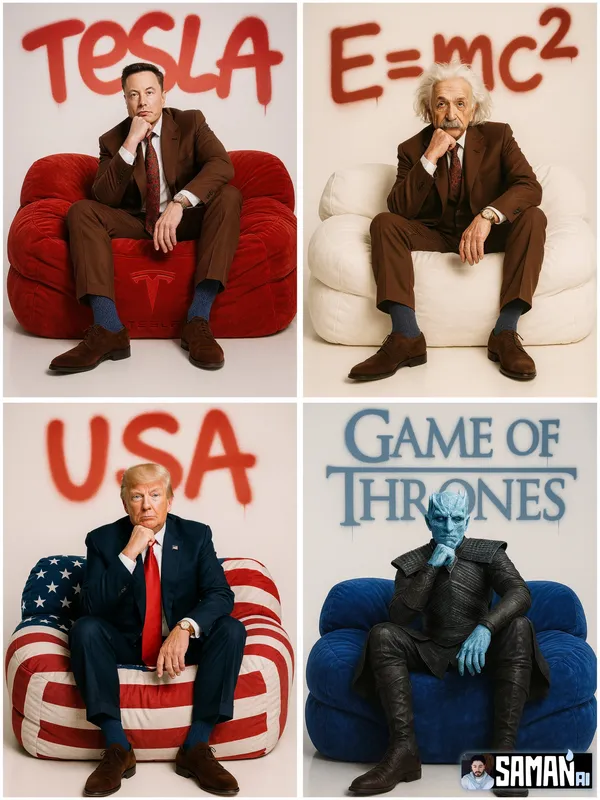
Verified prompt
RACTER] sitting centered on an oversized puffy lounge sofa in [SOFA_COLOR], relaxed pose with one hand under chin, full-body. Clean white seamless studio, premium fashion-editorial lighting, hyper-real, minimal. Big spray-paint graffiti on the back wall reading “[TEXT]” with soft overspray and slight drips. 85mm look, crisp details, no clutter, no watermark. --ar 3:4
RACTER] sitting centered on an oversized puffy lounge sofa in [SOFA_COLOR], relaxed pose with one hand under chin, full-body. Clean white seamless studio, premium fashion-editorial lighting, hyper-real, minimal. Big spray-paint graffiti on the back wall reading “[TEXT]” with soft overspray and slight drips. 85mm look, crisp details, no clutter, no watermark. --ar 3:4
Plan Your Music Visuals
Create an image, animate a scene or find a starting prompt for your project.

Create visuals with Grok in RapLyrics
A Grok image generator for music visual projects.
Use RapLyrics to turn text prompts into images with the Grok models currently enabled in the generator. You can also check whether the selected model supports image-reference or editing modes. The generator shows the allowed inputs, settings, and credit quote before you generate. Review each result and download clips from History to use in your external editor with your own music and timed lyric overlays.
Open the generator
How to use the Grok generator
The workflow is simple. Choose an enabled model, enter a text prompt, and add an image reference only if the selected model offers that mode. The generator shows the allowed inputs and settings before you generate, and the credit quote appears before each run.

Enter a prompt or add a reference
Describe the subject, setting, lighting, and mood in your prompt. If the selected model supports image-reference mode, you can add an image to guide style, subject, or composition. Availability and capabilities vary by model, so check the options shown in the generator.
Click generate
Review the credit quote and generate
Download
Review the credit quote, then start generation. Available settings and input options are shown in the generator. When generation finishes, review the results and download the clips you want from History. Add your own music and timed lyric overlays in an external editor.
Core features
The Grok models available in RapLyrics support text-to-image generation and may support image-reference or editing modes depending on the model. Allowed inputs, settings, and the credit quote are shown in the generator before you run. Finished outputs are listed in History for review and download.
Text-to-image creation
The Grok image generation turns text prompts into images. Check the selected model for available styles and settings.
- Use the Grok models in RapLyrics to generate images from text prompts. The generator shows the allowed inputs and settings for each model.
- The Model options vary by model. Check the generator for supported inputs, reference image modes, and settings before you generate.Text-to-image generation.
- Generate visuals for music projects and review them before use. Download clips from History and add your own music and timed lyric overlays in an external editor.Grok image generation in RapLyrics.
- Use this image prompt workflow to turn a clear idea into a visual by describing what you want to see.
Prompt-based image editing
The Grok image generation editing workflow can help you revise existing visuals.
- Upload an image and use the Grok models in RapLyrics prompt to describe the changes you want.
- The Model optionsThis editing workflow can help you adjust colors, replace objects, or change backgrounds.
- Use the Prompt-based editing lets you refine details without advanced editing software or manual retouching.
- This Grok image generation in RapLyricsIterate on visual assets by describing what you want to change.
Reference image guidance
Guide the output with the image generator’s reference image options.
- The Grok models in RapLyrics by uploading reference images to guide subject, style, colors, product details, and scene direction, if your selected model offers image-reference input.
- With Model optionsUsing references can reduce guesswork when the reference image option is available.
- Support a consistent look by using the Grok image generation in RapLyrics reference image option to align with the aesthetic of your provided references, when offered by the selected model.
- This is useful for a cohesive look when using the image generator for project visuals.
Multiple visual directions
Explore different visual directions with the Grok image generation.
- The Grok models in RapLyricsCreate multiple image ideas faster without manual design skills.
- Use Model optionsGenerate multiple image variations for ads, social posts, product mockups, thumbnails, and visual testing.
- The Grok image generation in RapLyricsThe available models offer a range of options, making them suitable forsocial media visuals with RapLyrics.
- Compare styles and compositions to find what fits your project using theimage generator in RapLyrics.
Why use this image generator?
This image generator helps with common visual content tasks. It is built for speed, ease of use, and practical application. If you need a tool that prioritizes utility over complexity, this is for you. Here is what it offers for daily use.
Skip Complex Software
You do not need to spend hours learning complicated design software. TheGrok image generationgenerator allows fast image generation without manual retouching, complex editing software, or advanced design skills. Just use thegenerator in RapLyricsto get what you need.
Turn Ideas into Visuals
Turn abstract ideas into usable visuals, not just vague inspiration. TheModel optionssystem turns text prompts into images quickly, making it a practicalchoice for creative ideas in RapLyrics.
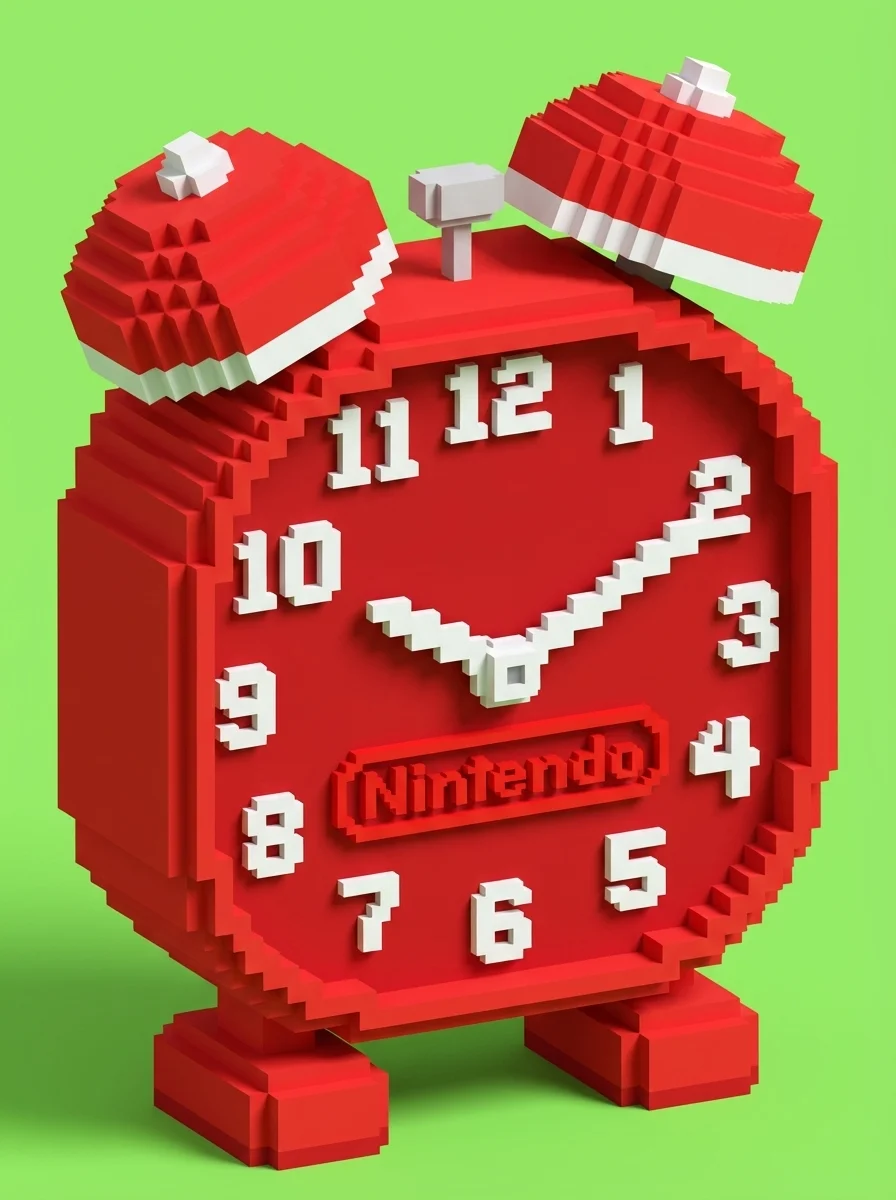
Reduce Randomness
When generating images, control matters. By using theimage generator’s reference image options, you can guide the subject, style, product look, and scene composition. This reduces randomness and makes theGrok image generation in RapLyricsmore dependable.
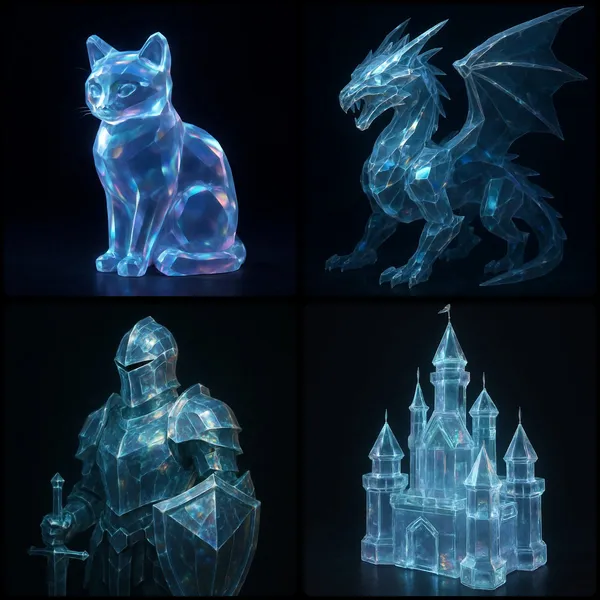
Built for Marketing and Social
You need multiple variations fast. TheGrok image generationis useful for generating product mockups, social media visuals, ad creatives, thumbnails, posters, and creative references. It is a practicalchoice for adsand social media campaigns.
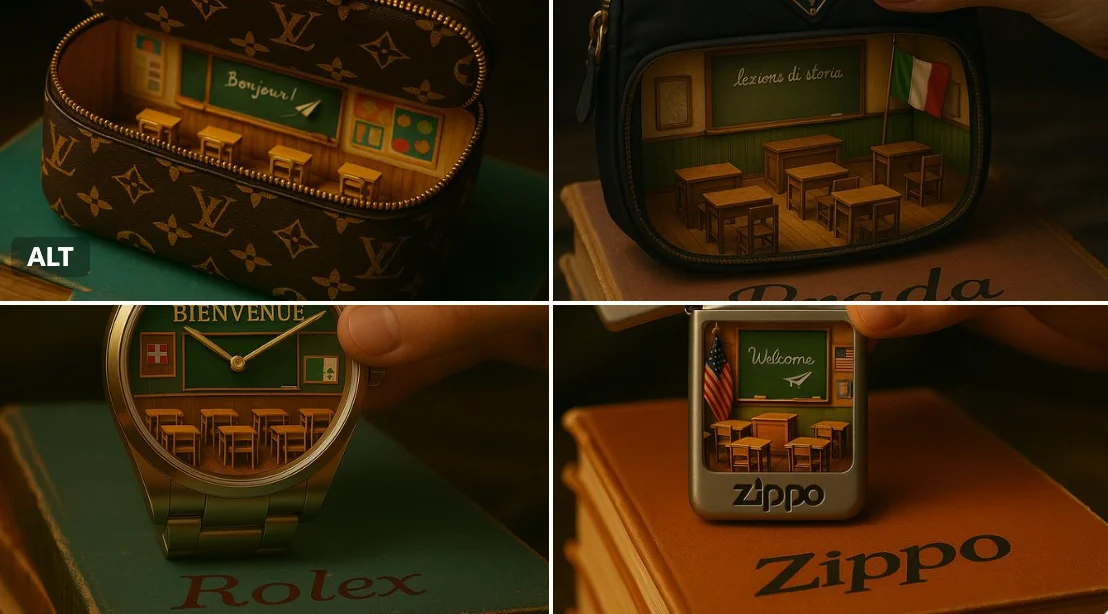
Easy Natural-Language Editing
Instead of manual erasing and painting, you can edit with text. Inside theGrok image generation, theGrok models in RapLyrics supports editing uploaded images with plain-language instructions, which can help with the Prompt-based editing step for music visual work.
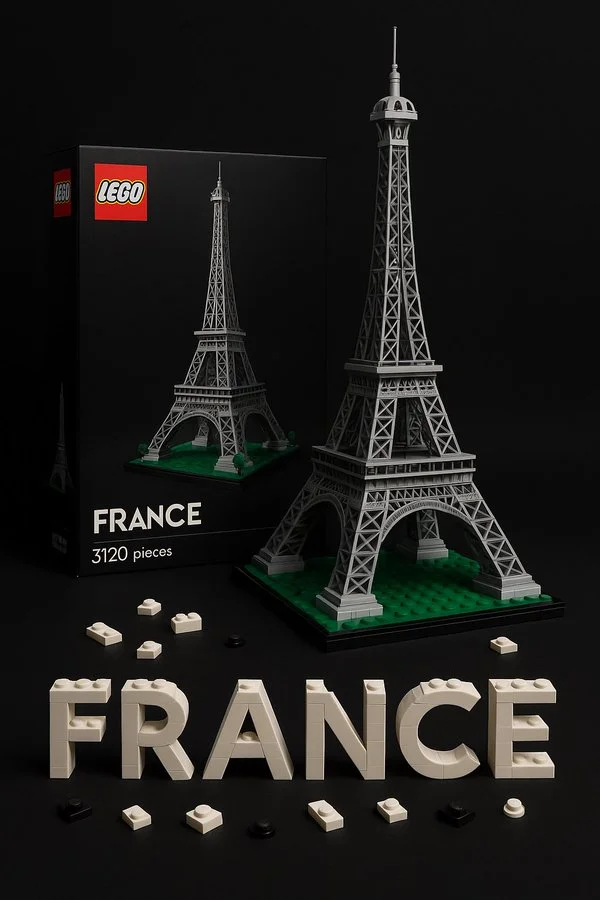
Workflow Notes
Speed up early visual drafts with the Grok image generation by generating several image options from a prompt before you move to video. Check the model options for supported reference-image modes, then use the Grok models in RapLyrics to review the credit quote and download clips from History for editing in your own editor.
Workflow Notes
Describe one subject, action and setting before generating. Keep the brief focused so the result is easier to review.

Questions about music visual workflows
Quick answers about generating visual clips with RapLyrics, checking model options, reviewing credits, and moving finished output into your editor.
RapLyrics helps you generate image or video clips from text prompts using the currently enabled models in the generator. You can review and download finished clips from History, then add music and timed lyric overlays in an external editor.
Open the generator, choose from the currently enabled models, and enter a text prompt. Check the allowed inputs and settings shown there, review the credit quote before generating, and find finished output in History.
Some models offer supported image-reference modes. Check the selected model in the generator to see whether reference images are available and what inputs are allowed. Model-specific availability is not verified outside the generator.
The current credit quote is shown before generation. Review that quote so you know the cost for the selected model and settings before you start.
Finished output is in History. Review each generated clip, then download the visuals you want to use in your own editor with music and lyric timing.
No. Download visual clips and add your own music and timed lyric overlays in an external editor. RapLyrics does not provide automatic lyric synchronization.
Check the selected model to confirm allowed inputs, settings, and any supported options. Review the credit quote shown before generation. After generation, review the output in History before using it.
No. Generated visuals must be reviewed. No guaranteed quality, speed, character consistency, perfect text, or precise motion is offered. Check whether the selected model offers any advanced controls before you rely on them.
You can request a refund within 10 days of purchase if you have unused credits from that purchase and provide a clear reason, subject to our Refund Policy. If eligible, an unused purchase can be fully refunded; a partly used purchase is refunded in proportion to its remaining unused credits. Fully used purchases and free or promotional credits are not refundable.
Credit validity depends on the pack, subscription or promotion that issued them. Review the purchase terms and expiration dates in Settings > Credits. A renewal or new purchase does not extend older credits. Use credits before their stated expiration; do not assume unused subscription credits roll over indefinitely.
Credits charged for a task that is confirmed as failed due to a system error are returned automatically. A task that is still processing has not yet been confirmed as failed. Check its status and your credit history before submitting again. If a confirmed failure still shows an unresolved charge, email support@raplyrics.app with the task ID.
AI results can vary, so a completed result that differs from your expectations is not automatically treated as a technical failure. Eligible completed image tasks can be submitted for credit refund review using the refund option where available; approval is required. For a video or another issue, contact support@raplyrics.app with the task ID and details. A credit refund returns credits, not money to your payment method.
Email support@raplyrics.app. For billing, include your account email and order ID; for generation, include the task ID, issue description and relevant screenshots. If you purchased as a guest, keep the original browser data and payment receipt so we can help locate the purchase.
Generate your first visual with RapLyrics
Create images from text prompts with the Grok model family. Describe a scene, upload an image to edit with natural-language instructions, or use a reference image to guide style and composition. The generator shows available inputs and settings; the credit quote appears before generation, and finished output is in History. Review results before use.
raplyrics.app · Updated
What's new on this page
- — Corrected the default model selection for the Grok image generator. Added editable example prompts and separate drafts for text and reference modes, with an action to restore the example.
- — Page content published.