
Verified prompt
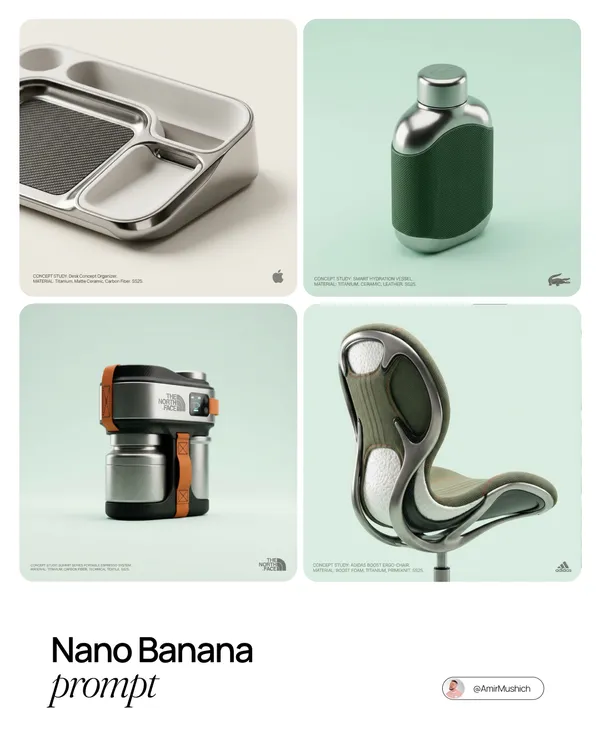
ND NAME]: A high-end, glossy concept art magazine editorial photograph of a unique, unexpected functional object conceptualized and designed by the brand. **1. The Concept & Object (AI Invention):** Based on the design philosophy, heritage, and material vocabulary of the specified brand, the AI must invent a novel utility product (NOT standard clothing, shoes, or bags). Examples could be home goods, tech accessories, tools, or sporting equipment, reinterpretated through the brand's lens. The object should feel sculptural yet functional. **2. Materials & Details (Hyper-Premium):** The object is constructed from ultra-premium, highly tactile materials characteristic of the brand (e.g., patinated exotic leathers, brushed aerospace-grade titanium, sculpted matte ceramics, molded carbon fiber, or technical high-fashion textiles). Every detail is hyper-realistic: visible stitching, microscopic material grain, precision engravings, and complex texture contrasts. **3. Photography & Lighting (Cinematic Studio):** Shot on a medium format Phase One camera with a 100mm macro lens. Extremely shallow depth of field, with sharp focus on the hero details of the object and a creamy, smooth bokeh background. The lighting is sophisticated studio softbox lighting: gentle, enveloping fill light with precise rim lighting to accentuate contours and material textures. **4. Environment:** A seamless, impeccably clean studio cyclorama background in a pure, ultra-light pastel tone (e.g., desaturated mint, pale blush, or off-white), free of shadows. **5. Layout & UI Elements (Strict Placement):** - **Bottom Right Corner:** A small, understated, monochrome gray logo of the brand. - **Bottom Left Corner:** Small, minimalist monochrome gray text describing the invented product. The font style looks like Manrope Regular with very tight tracking (kerning) and balanced line spacing. Example format: "CONCEPT STUDY: [AI inserts invented product name]. MATERIAL: [AI inserts main materials]. SS25."
ND NAME]: A high-end, glossy concept art magazine editorial photograph of a unique, unexpected functional object conceptualized and designed by the brand. **1. The Concept & Object (AI Invention):** Based on the design philosophy, heritage, and material vocabulary of the specified brand, the AI must invent a novel utility product (NOT standard clothing, shoes, or bags). Examples could be home goods, tech accessories, tools, or sporting equipment, reinterpretated through the brand's lens. The object should feel sculptural yet functional. **2. Materials & Details (Hyper-Premium):** The object is constructed from ultra-premium, highly tactile materials characteristic of the brand (e.g., patinated exotic leathers, brushed aerospace-grade titanium, sculpted matte ceramics, molded carbon fiber, or technical high-fashion textiles). Every detail is hyper-realistic: visible stitching, microscopic material grain, precision engravings, and complex texture contrasts. **3. Photography & Lighting (Cinematic Studio):** Shot on a medium format Phase One camera with a 100mm macro lens. Extremely shallow depth of field, with sharp focus on the hero details of the object and a creamy, smooth bokeh background. The lighting is sophisticated studio softbox lighting: gentle, enveloping fill light with precise rim lighting to accentuate contours and material textures. **4. Environment:** A seamless, impeccably clean studio cyclorama background in a pure, ultra-light pastel tone (e.g., desaturated mint, pale blush, or off-white), free of shadows. **5. Layout & UI Elements (Strict Placement):** - **Bottom Right Corner:** A small, understated, monochrome gray logo of the brand. - **Bottom Left Corner:** Small, minimalist monochrome gray text describing the invented product. The font style looks like Manrope Regular with very tight tracking (kerning) and balanced line spacing. Example format: "CONCEPT STUDY: [AI inserts invented product name]. MATERIAL: [AI inserts main materials]. SS25."
Verified prompt
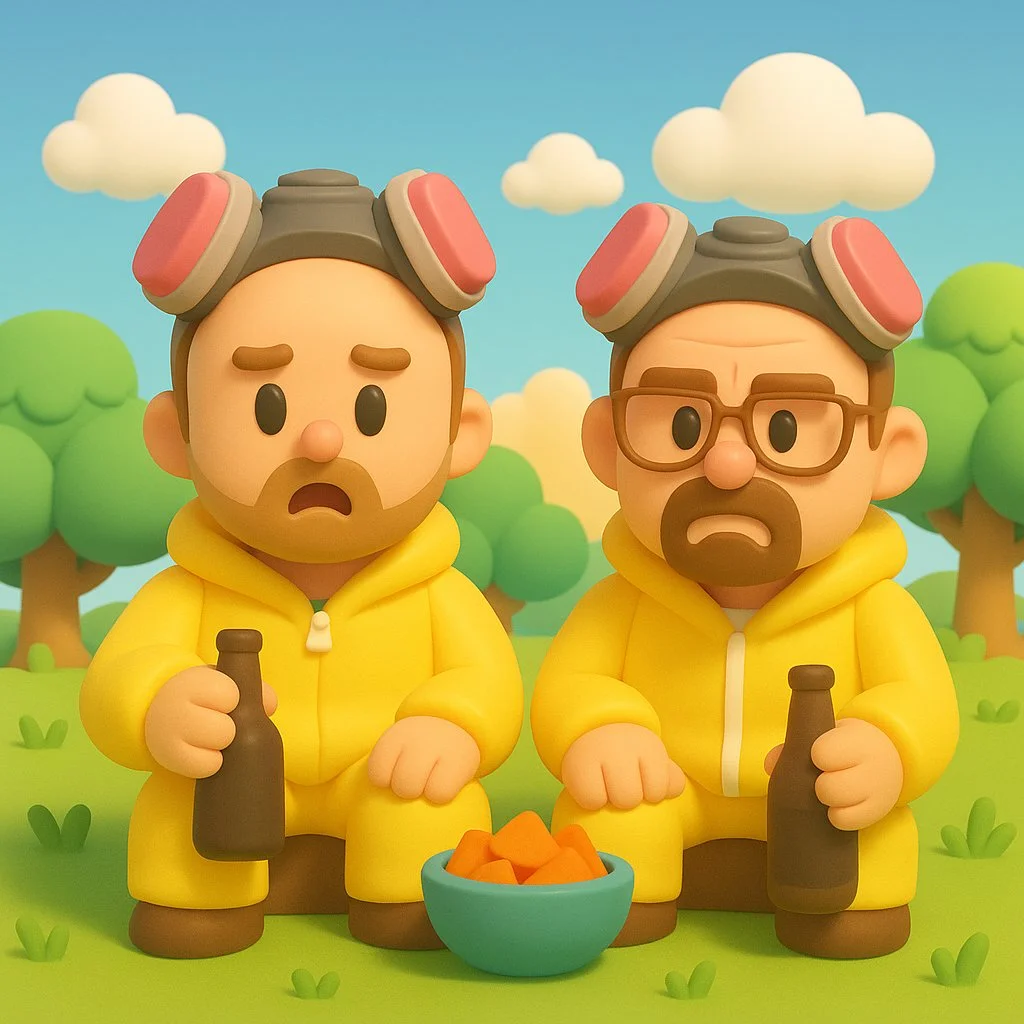
Transform this image into a Nintendo-inspired 3D cartoon style illustration. Use soft, rounded 3D shapes and clean, toy-like geometry to give the characters and objects a charming, handcrafted look. Characters should have exaggerated, childlike proportions (large heads, small limbs), with expressive, simplified faces and bright, colorful clothing — similar to designs seen in Zelda: Link’s Awakening, Animal Crossing, or Miitopia. Apply smooth, matte textures with no realistic detail — everything should look cheerful and slightly plastic, as if sculpted from soft clay or digital vinyl. The environment should be bright and whimsical, with stylized grass, puffy clouds, geometric trees, and soft lighting like a sunny afternoon. The overall tone should be lighthearted, clean, and family-friendly, like a frame from a Nintendo fantasy adventure game.
Transform this image into a Nintendo-inspired 3D cartoon style illustration. Use soft, rounded 3D shapes and clean, toy-like geometry to give the characters and objects a charming, handcrafted look. Characters should have exaggerated, childlike proportions (large heads, small limbs), with expressive, simplified faces and bright, colorful clothing — similar to designs seen in Zelda: Link’s Awakening, Animal Crossing, or Miitopia. Apply smooth, matte textures with no realistic detail — everything should look cheerful and slightly plastic, as if sculpted from soft clay or digital vinyl. The environment should be bright and whimsical, with stylized grass, puffy clouds, geometric trees, and soft lighting like a sunny afternoon. The overall tone should be lighthearted, clean, and family-friendly, like a frame from a Nintendo fantasy adventure game.
Verified prompt
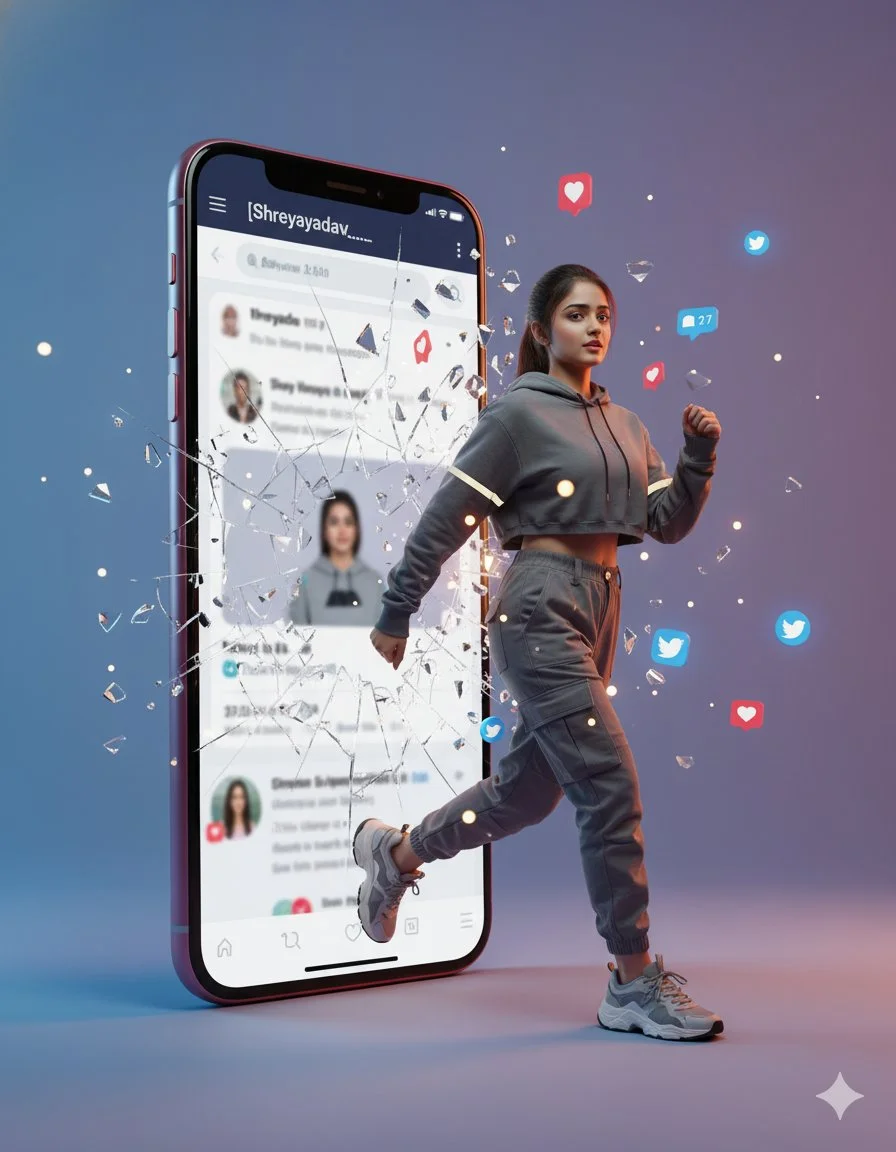
A hyperrealistic cinematic photo of a woman stepping out of a smartphone screen showing the Twitter profile [Shreyayadav___]. She’s captured mid-step, confidently emerging from the digital world into reality as the phone glass shatters with glowing fragments. Floating social media icons (hearts, comments, follows) surround her. She wears trendy streetwear with lifelike fabric and lighting reflections. The minimalist gradient studio background adds 3D depth.
A hyperrealistic cinematic photo of a woman stepping out of a smartphone screen showing the Twitter profile [Shreyayadav___]. She’s captured mid-step, confidently emerging from the digital world into reality as the phone glass shatters with glowing fragments. Floating social media icons (hearts, comments, follows) surround her. She wears trendy streetwear with lifelike fabric and lighting reflections. The minimalist gradient studio background adds 3D depth.
Verified prompt
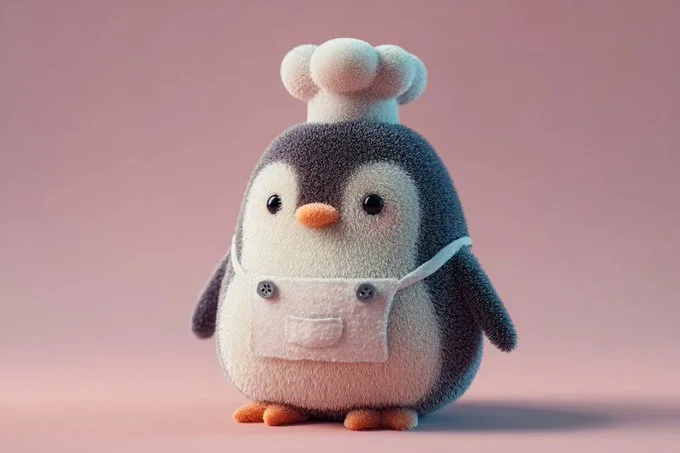
A soft and plush 3D model of a [subject] with a [key detail], rendered in a cute, stylized aesthetic. The texture appears velvety, squeezable, and toy-like, emphasizing the charm of animated [object type] designs. Clean background, centered composition, soft ambient lighting, pastel tones, subtle shadows, high-resolution render, front-facing view.
A soft and plush 3D model of a [subject] with a [key detail], rendered in a cute, stylized aesthetic. The texture appears velvety, squeezable, and toy-like, emphasizing the charm of animated [object type] designs. Clean background, centered composition, soft ambient lighting, pastel tones, subtle shadows, high-resolution render, front-facing view.
Verified prompt
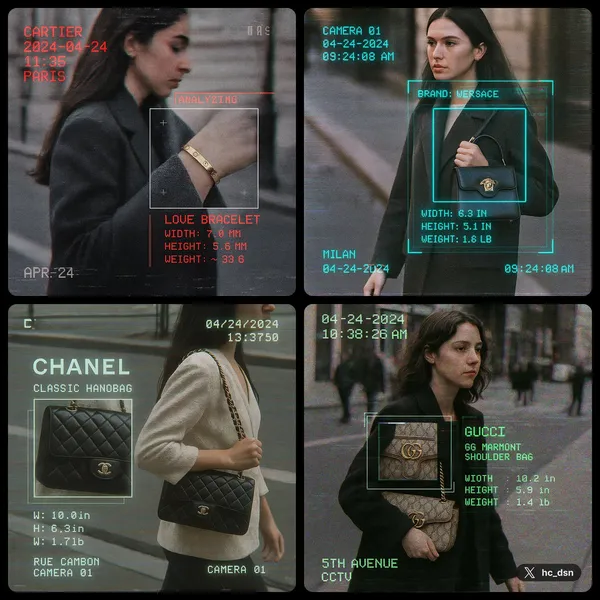
te image with 1:1 ratio A cctv footage, A closed up view of focus woman carrying [brand] [product] on street, a square zoomed window on the product, sci fi analyzing overlay UI with infos like brand name, date, time, location name, in brand color monospaced font, product name, width, height, weight, etc, vhs effect, glitch effect, film grainy
te image with 1:1 ratio A cctv footage, A closed up view of focus woman carrying [brand] [product] on street, a square zoomed window on the product, sci fi analyzing overlay UI with infos like brand name, date, time, location name, in brand color monospaced font, product name, width, height, weight, etc, vhs effect, glitch effect, film grainy
Verified prompt
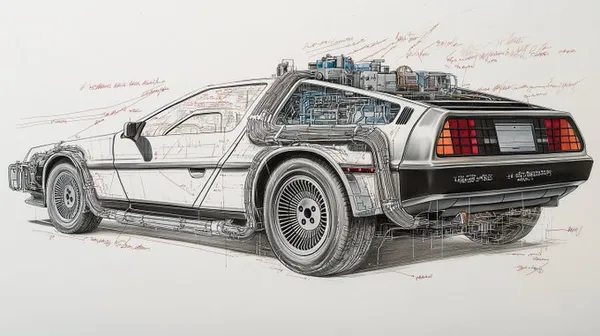
iled technical drawing of a [vehicle, weapon, object, or item], on white paper with dimensions and annotations in red marker. [The subject] is depicted in pencil with [material or texture details], showing [list of key parts and functional elements], all in clear detail. Intricate element, detailed blueprint style with notes on its features and functionality
iled technical drawing of a [vehicle, weapon, object, or item], on white paper with dimensions and annotations in red marker. [The subject] is depicted in pencil with [material or texture details], showing [list of key parts and functional elements], all in clear detail. Intricate element, detailed blueprint style with notes on its features and functionality
Verified prompt
Create a South Park style paper-cut cartoon character with long blonde hair and a lavender cardigan near a sunny window. Use flat colors, round expressive eyes and a clear silhouette.
Create a South Park style paper-cut cartoon character with long blonde hair and a lavender cardigan near a sunny window. Use flat colors, round expressive eyes and a clear silhouette.
Verified prompt
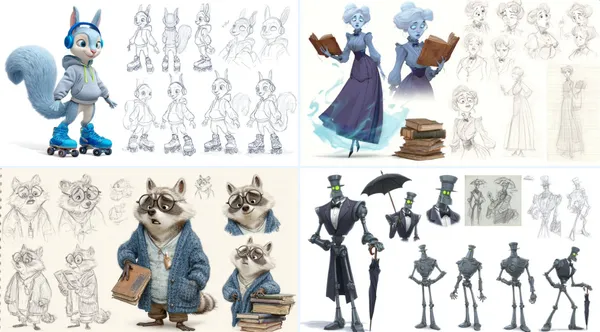
aracter sheet of [detailed description of thecharacter], in the style of Pixar, featuring multiple poses and expressions from different angles, including concept art, pencil sketches, a full-body reference sheet, and a white background. The sheet includes wide shots, low-angle views, 3D renders, and Octane renderings, highly detailed result.
aracter sheet of [detailed description of thecharacter], in the style of Pixar, featuring multiple poses and expressions from different angles, including concept art, pencil sketches, a full-body reference sheet, and a white background. The sheet includes wide shots, low-angle views, 3D renders, and Octane renderings, highly detailed result.
Verified prompt
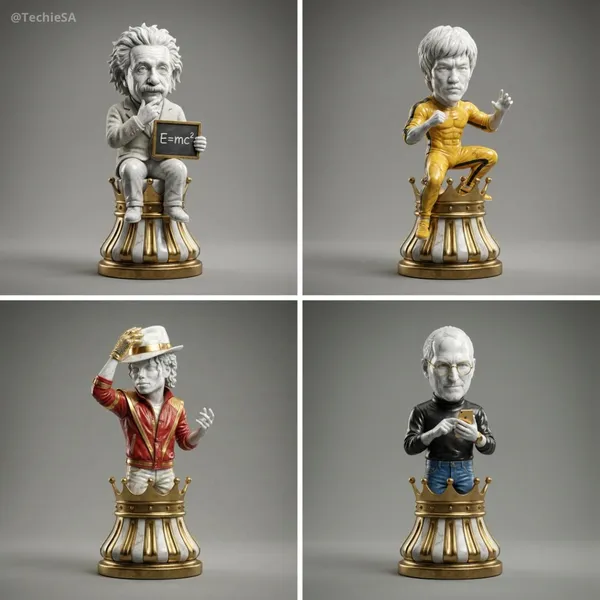
per-detailed 3D render of a collectible chess piece designed as [ICON]. The figure is sculpted in polished marble and gold accents, with a stylized base resembling a classic chess piece. The character’s iconic features, clothing, or accessories are faithfully captured in a simplified but instantly recognizable form. Studio lighting with soft reflections, dramatic shadows, photorealistic textures, cinematic presentation. Centered on a clean neutral background, 1080x1080 square format.
per-detailed 3D render of a collectible chess piece designed as [ICON]. The figure is sculpted in polished marble and gold accents, with a stylized base resembling a classic chess piece. The character’s iconic features, clothing, or accessories are faithfully captured in a simplified but instantly recognizable form. Studio lighting with soft reflections, dramatic shadows, photorealistic textures, cinematic presentation. Centered on a clean neutral background, 1080x1080 square format.
Verified prompt
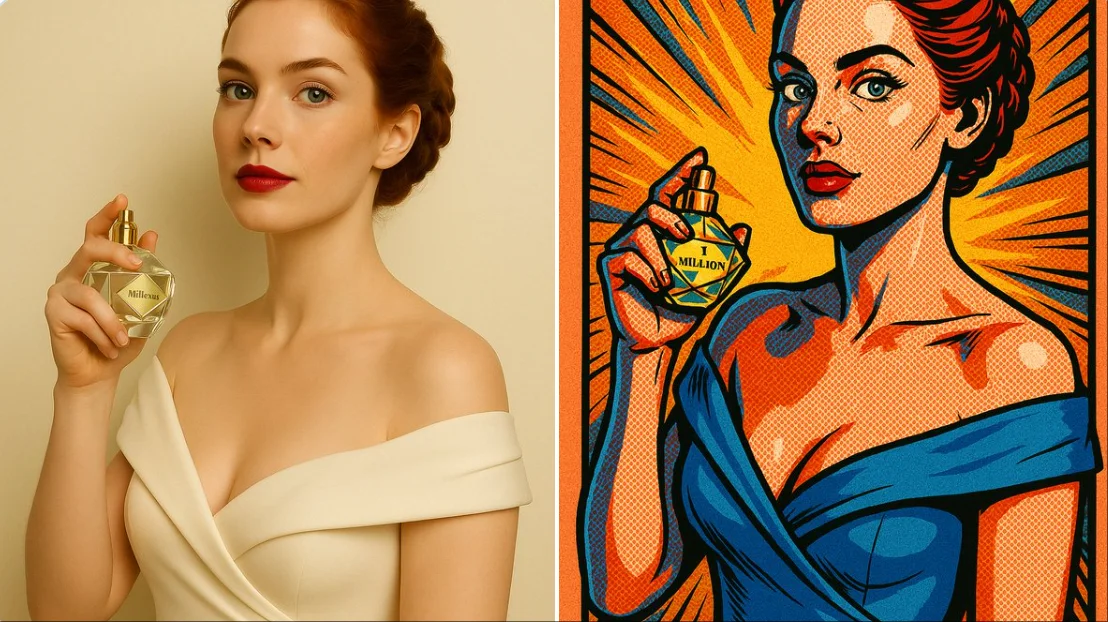
create comic style illustration: { "style": "comic book illustration", "line_art": { "type": "bold black outlines", "thickness": "medium", "detail": "emphasized contours and shading lines" }, "coloring": { "palette": "vibrant and saturated colors", "shading": "halftone dots and cel shading", "highlighting": "strong contrast with pop art effects" }, "texture": { "surface": "flat with visible ink strokes", "effect": "printed comic paper texture" }, "composition": { "layout": "centered subject", "background": "simple with radial burst or comic-style lines", "framing": "comic panel border" }, "lighting": { "type": "dramatic", "angle": "top-left with bold highlights and shadows" }, "post_processing": { "effect": ["halftone dots", "ink outline", "grain"], "saturation": "high", "contrast": "high" }, "mood": "dynamic and action-oriented", "format": "vertical or square depending on original image" }
create comic style illustration: { "style": "comic book illustration", "line_art": { "type": "bold black outlines", "thickness": "medium", "detail": "emphasized contours and shading lines" }, "coloring": { "palette": "vibrant and saturated colors", "shading": "halftone dots and cel shading", "highlighting": "strong contrast with pop art effects" }, "texture": { "surface": "flat with visible ink strokes", "effect": "printed comic paper texture" }, "composition": { "layout": "centered subject", "background": "simple with radial burst or comic-style lines", "framing": "comic panel border" }, "lighting": { "type": "dramatic", "angle": "top-left with bold highlights and shadows" }, "post_processing": { "effect": ["halftone dots", "ink outline", "grain"], "saturation": "high", "contrast": "high" }, "mood": "dynamic and action-oriented", "format": "vertical or square depending on original image" }
Verified prompt
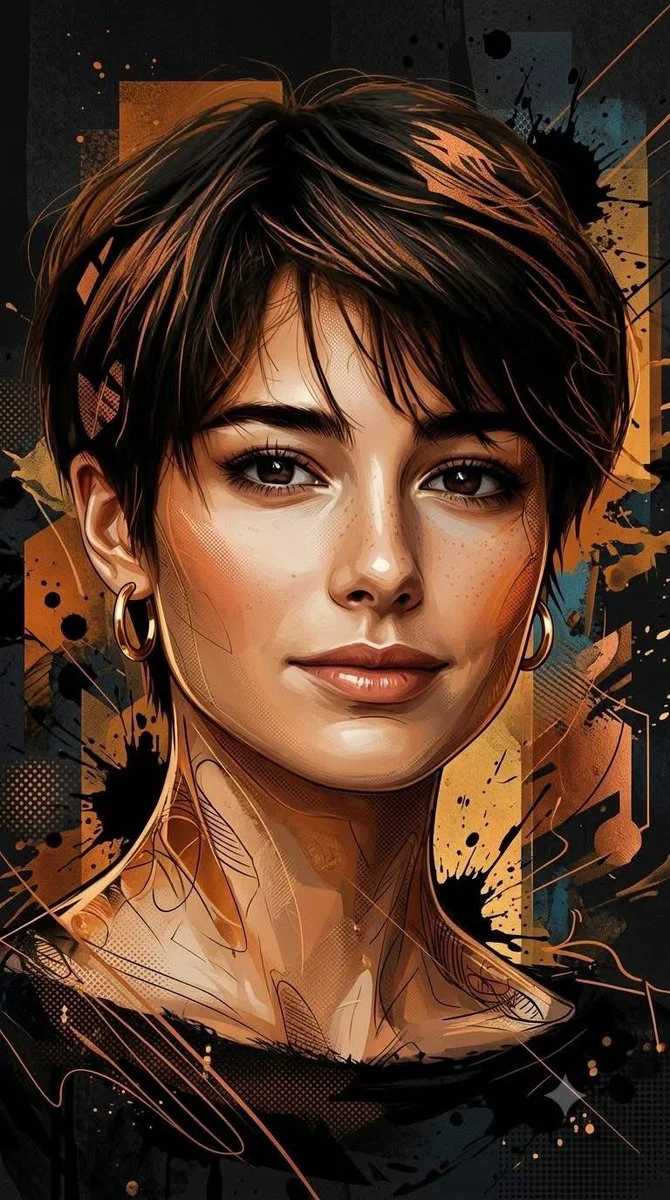
Using an uploaded portrait as the subject reference, create a vertical 9:16 image. Transform the subject into a dramatic mixed-media editorial illustration. Combine semi-realistic painted facial features with crisp graphic shapes, ink lines, paint splashes and subtle halftone texture. Use burnt orange, amber and copper against charcoal black, with a few muted teal accents. Arrange abstract geometric layers behind the portrait to add depth without obscuring the face. Keep the expression and recognizable proportions of the reference. Use directional light, selective sharp details and a strong vertical composition for a polished contemporary poster.
Using an uploaded portrait as the subject reference, create a vertical 9:16 image. Transform the subject into a dramatic mixed-media editorial illustration. Combine semi-realistic painted facial features with crisp graphic shapes, ink lines, paint splashes and subtle halftone texture. Use burnt orange, amber and copper against charcoal black, with a few muted teal accents. Arrange abstract geometric layers behind the portrait to add depth without obscuring the face. Keep the expression and recognizable proportions of the reference. Use directional light, selective sharp details and a strong vertical composition for a polished contemporary poster.
Verified prompt
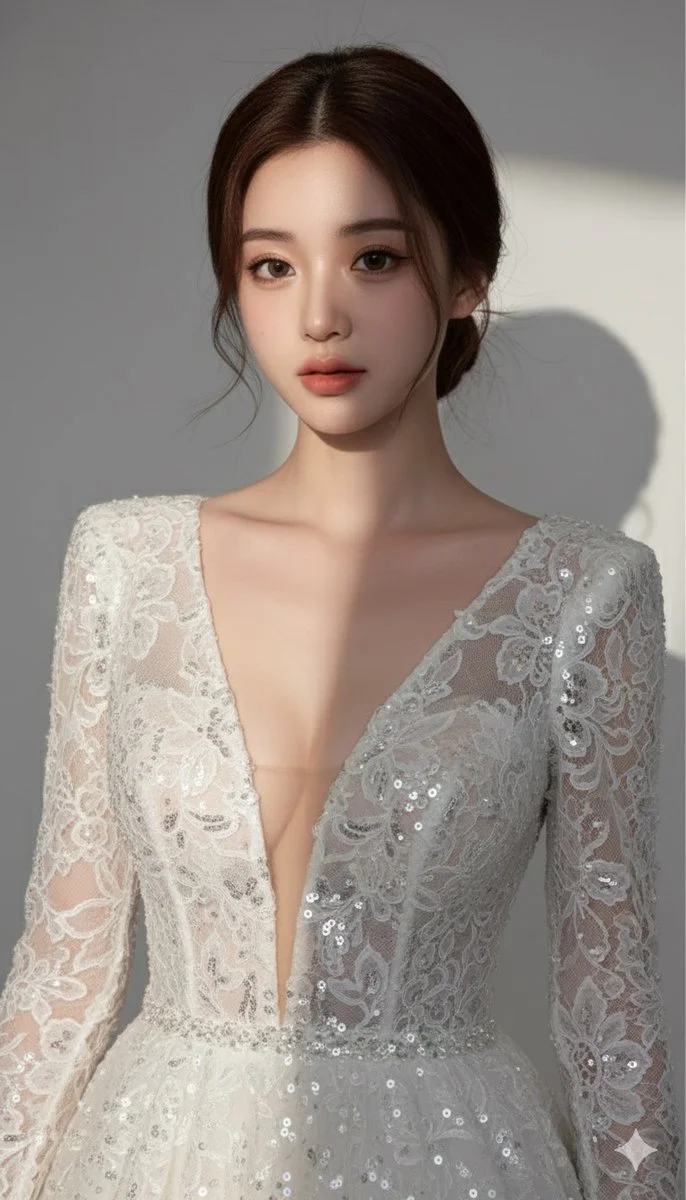
Ultra-detailed, photorealistic portrait of a beautiful woman, high fashion editorial, deep white plunging V-neck lace sequined evening gown, elegant low bun updo, soft studio lighting, light grey background, dramatic shadowplay, hyperrealistic, 8K
Ultra-detailed, photorealistic portrait of a beautiful woman, high fashion editorial, deep white plunging V-neck lace sequined evening gown, elegant low bun updo, soft studio lighting, light grey background, dramatic shadowplay, hyperrealistic, 8K
Plan Your Music Visuals
Create an image, animate a scene or find a starting prompt for your project.
AI Reference Images for Music Visuals
Build the Visual World of Your Song
Explore the places, colors and characters suggested by your lyrics. Start with a written brief or a supported reference image, review the result and develop a visual direction for your music project.
Create a SceneFrom a Lyric to a Visual Brief
Describe the imagery of a verse as a scene: a subject, a setting and a mood. Choose a model and review its available inputs before generating.
Set the Composition Before You Animate
Choose framing, lighting and color in your prompt. Check the available output settings and credit quote, then create an image you can use as a video reference.
Describe the Mood of Your Track
Use a few specific visual details to express the feeling of your song. Compare the image with your brief, then refine its light, colors or composition.
Refine Your Prompt
Review the generated composition, then revise your prompt to change specific details. Choose the available model settings and check the credit quote before creating another version.
Review and Download Results
Open completed results in History, inspect important details and download the image you want to use. Keep your prompt and settings so you can compare later versions.
Keep Your Prompt and Result Together
Write a prompt, choose a model, and review your results in History. Refine your description to explore a different composition or style.
A Focused Image Workspace
Keep your visual brief and completed image results together while you develop the project.
Develop a Visual Direction for Your Music
Explore Styles Through Your Prompt
Explore photographic, illustrated or abstract looks by describing the style in your prompt. Results vary by model and request; review each image before using it.
Describe the look you want, then refine your prompt as you compare results.
Reference Images for Your Lyric Video
Explore the scenes and visual details you want to bring into a music project. Create a focused image brief before planning movement.
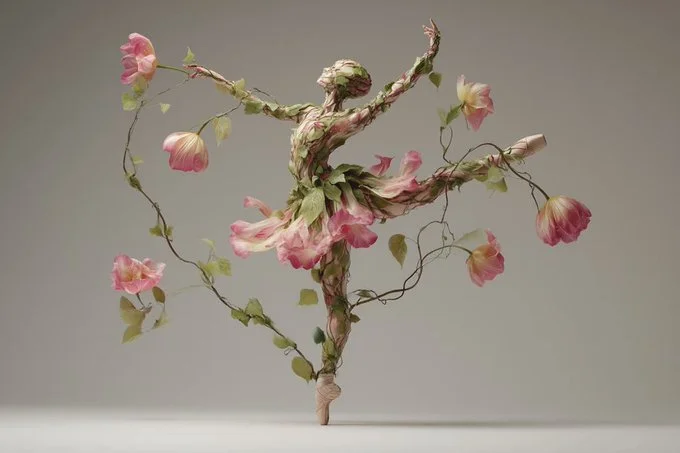
Locations and Atmosphere
Describe the street, room or landscape suggested by your writing. Test the lighting and color palette before using an image as a video reference.
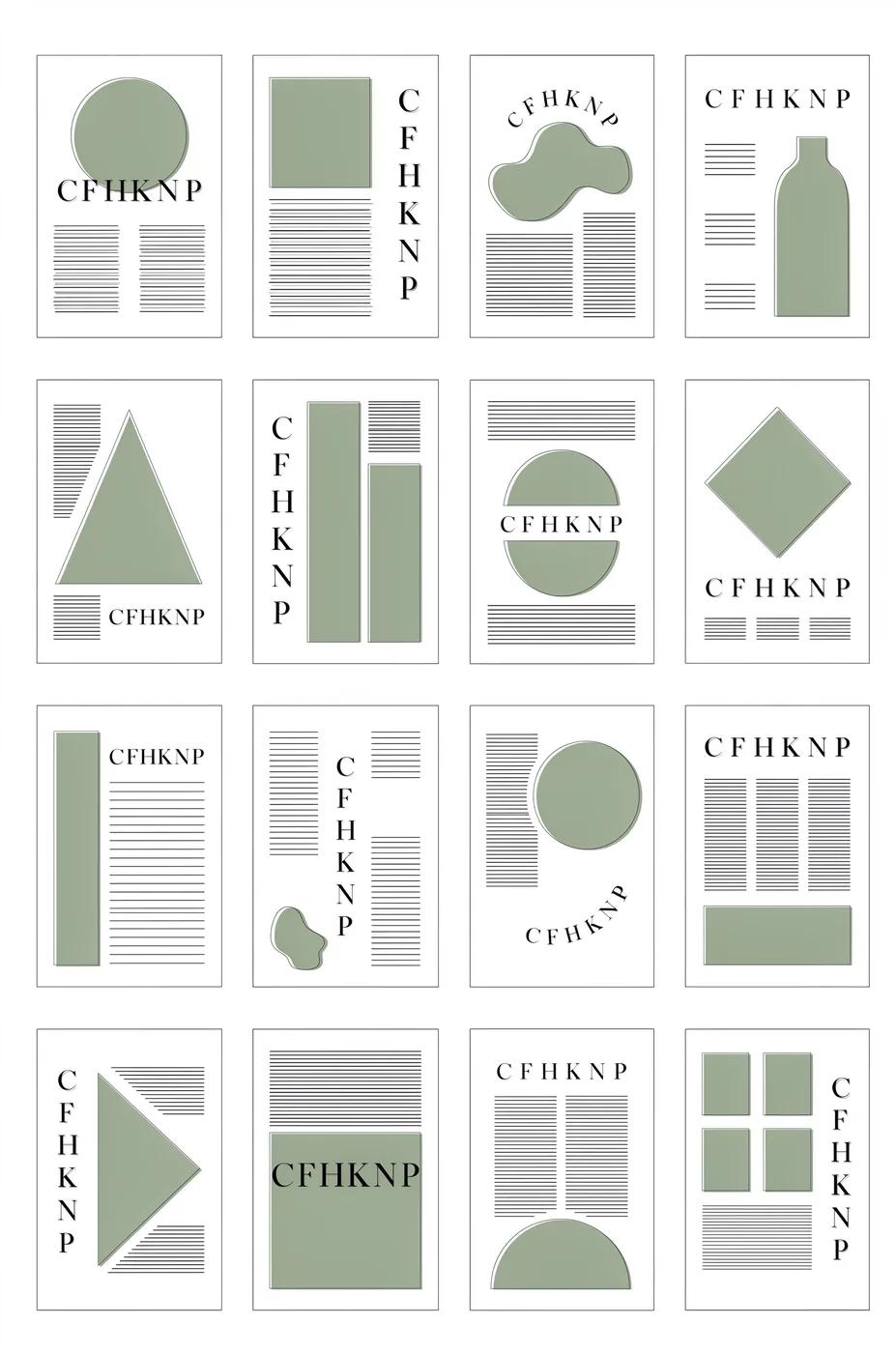
A Central Image for the Chorus
Develop one memorable composition around the main feeling of your chorus. Check the result for distracting details and refine the prompt where needed.
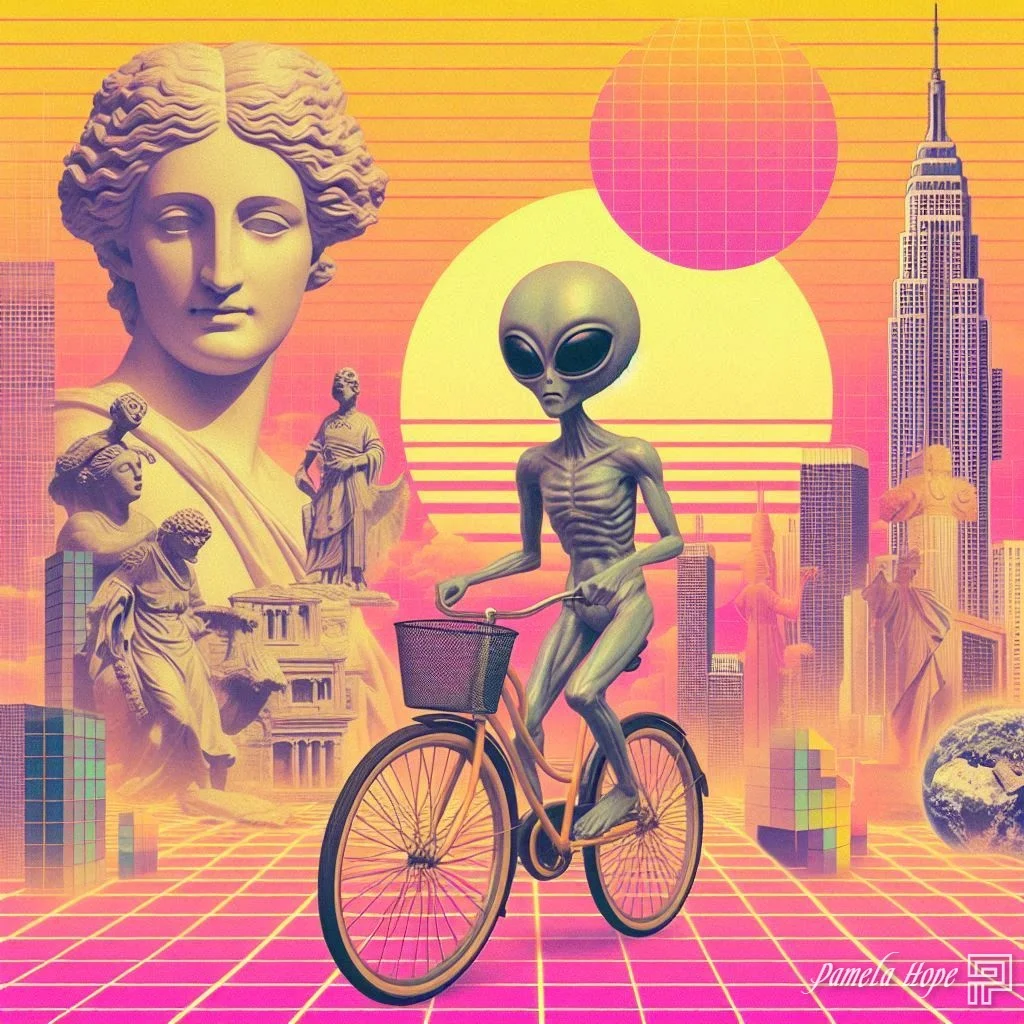
Visual Storyboards
Create concept images for individual moments in a verse. Keep written notes on framing and movement to guide your later video prompts.
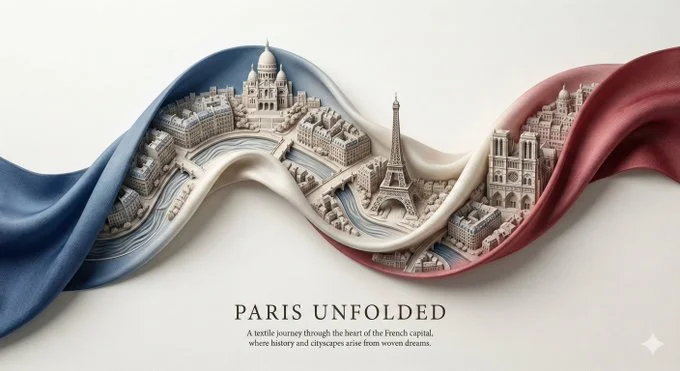
Release Artwork Concepts
Explore visual directions for a song announcement. Review text and design details, then add accurate release information in your editing tool.
Create a Reference Image in Four Steps
Add Your Input
Write a description, or select image-to-image mode and upload a reference. Include the details that matter most to your composition.
Customize Your Options
Choose a model and adjust its available size and quality settings. Check the required credits before generating.
Generate and Refine
Select Generate Image and follow the task in History. Review the result, then revise your prompt to create another version.
Export, Share, or Transform
Download a completed image from History and add it to your project. You can also use it as a reference on the video page.
Images for Every Stage of Your Music Project
Use generated images to explore ideas and prepare visual material for your own edit.
Scene Concepts
Turn one image from a lyric into a composition. Describe the subject, surroundings and lighting, then review the result against your brief.
Social Music Posts
Explore a visual idea for a song or release post. Use the format your channel requires and add accurate text in your design tool.
Pitch and Mood Boards
Prepare visual concepts to discuss with collaborators. Keep a clear brief alongside each image so the intended scene is easy to understand.
Visual World Building
Explore a recurring location, palette or motif for your project. Review separate generations carefully; matching characters and details is not guaranteed.
Workflow Notes
Describe one subject, action and setting before generating. Keep the brief focused so the result is easier to review.
AI Reference Image Questions
Generate an image from a written scene description or a supported reference image. Use the result to explore the visual direction of your music project or as a reference for video generation.
Text-to-image models use your written description to generate a visual interpretation. Specific details about the subject, composition, and lighting can help guide the result.
Download an image you want to use, open the video generator and choose a model that supports image-to-video. Upload the image and describe the movement you want.
Write the medium, palette, lighting and composition in your prompt. There is no one-click style effect control on this page.
Revise your text prompt and generate another version, or use a supported reference image in image-to-image mode. This page does not provide object erasing, canvas expansion or photo restoration controls.
Use inputs you have permission to use and review generated content for recognizable people, brands and protected material. Check the applicable terms for your chosen model and use case before publishing commercially.
Image generation uses credits. Select a model and settings to see the quote before submitting, and visit Pricing for current purchase options.
You can start with a plain-language description. Add details about the subject, setting, lighting, and style as you refine your idea.
You can request a refund within 10 days of purchase if you have unused credits from that purchase and provide a clear reason, subject to our Refund Policy. If eligible, an unused purchase can be fully refunded; a partly used purchase is refunded in proportion to its remaining unused credits. Fully used purchases and free or promotional credits are not refundable.
Credit validity depends on the pack, subscription or promotion that issued them. Review the purchase terms and expiration dates in Settings > Credits. A renewal or new purchase does not extend older credits. Use credits before their stated expiration; do not assume unused subscription credits roll over indefinitely.
Credits charged for a task that is confirmed as failed due to a system error are returned automatically. A task that is still processing has not yet been confirmed as failed. Check its status and your credit history before submitting again. If a confirmed failure still shows an unresolved charge, email support@raplyrics.app with the task ID.
AI results can vary, so a completed result that differs from your expectations is not automatically treated as a technical failure. Eligible completed image tasks can be submitted for credit refund review using the refund option where available; approval is required. For a video or another issue, contact support@raplyrics.app with the task ID and details. A credit refund returns credits, not money to your payment method.
Email support@raplyrics.app. For billing, include your account email and order ID; for generation, include the task ID, issue description and relevant screenshots. If you purchased as a guest, keep the original browser data and payment receipt so we can help locate the purchase.
Create a Visual Starting Point for Your Lyrics
Create an image from a text description or supported reference. Review the model settings, check the credit quote and download completed results from History.
raplyrics.app · Updated
What's new on this page
- — Added editable example prompts and separate drafts for text and reference modes, with an action to restore the example.
- — Page content published.